



Uncanny integration Addon

 100
100
Business

 Support for 1 site
Update for 12 months
Support for 12 months
$15
Developer

Support for unlimited sites
Update for lifetime
Support for lifetime
$50
We're sure that you'll love our Uncanny integration Addon, but, if for some reason, you're not satisfied in the first 30 days of using our product, there is a money back guarantee and we'll issue a refund.
Quiz Maker Uncanny Automator Integration
Quiz Maker Uncanny Automator integration will enable you to easily automate the process of integrating your quizzes with other plugins and websites using workflows. Integrating Quiz Maker and Uncanny Automator will help you create automatic actions based on your quiz activities, saving time and effort. After enabling integration, Quiz Maker events will be enabled as triggers in Uncanny Automator. This means that you are free to develop automation recipes that will be triggered after users interact with your quizzes. For example, whether the participant completes the quiz, passes the score, or fails the test, the events will automatically trigger several other actions.How It Works
Step 1: Install and Activate the Integration For the first step, enable the Quiz Maker Uncanny Automator addon and make sure both Quiz Maker and Uncanny Automator are activated on your WordPress website. Make sure to choose the "Everyone" option in the Uncanny Automator plugin.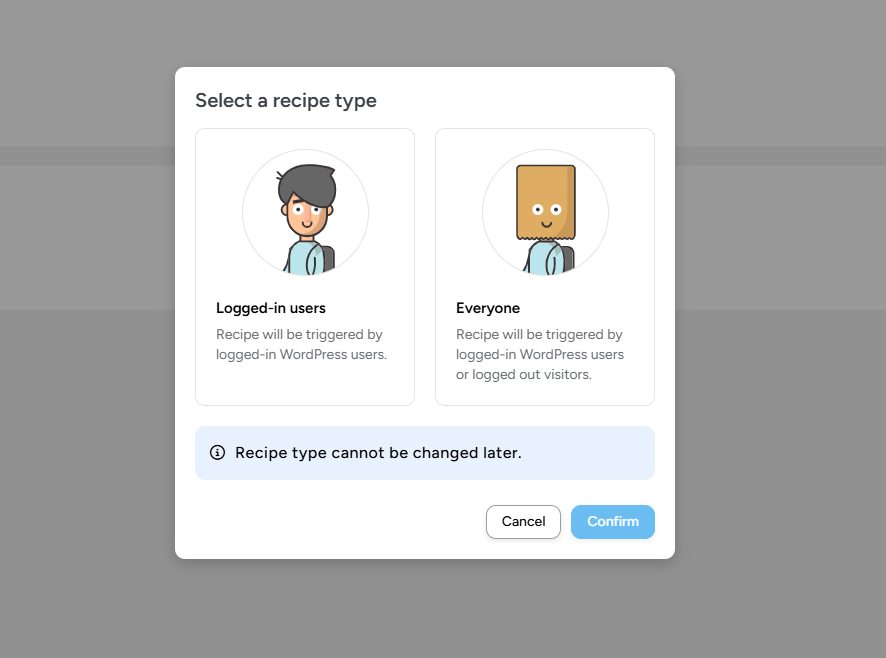
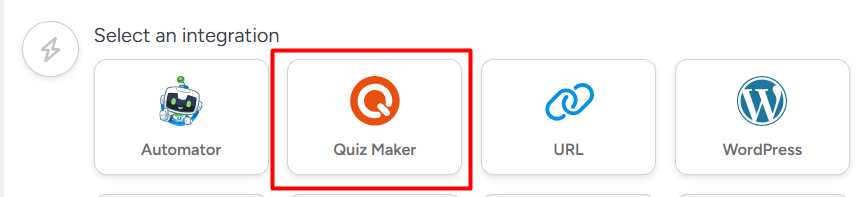
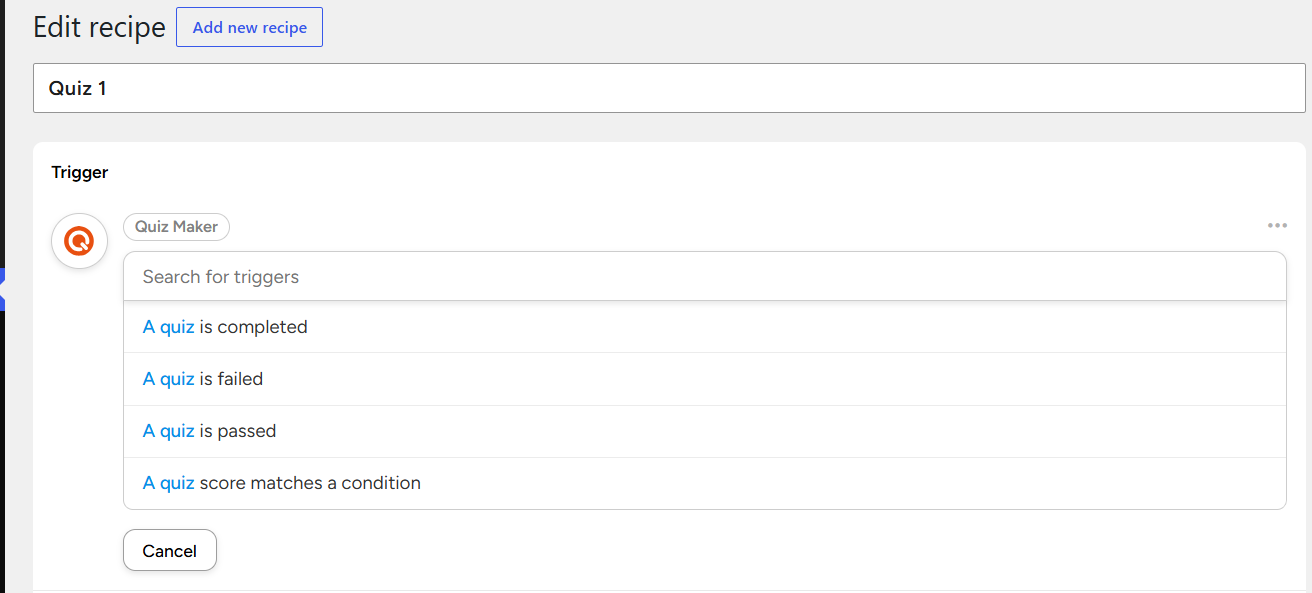
Step 4: Configure Actions Once you have chosen your trigger, select actions that need to be done automatically. Depending on the plugins and services that Uncanny Automator is connected to, you can:
- Send personalized emails
- Create WordPress posts or pages
- Enroll users in courses
- Add users to membership levels
- Register users for events
- Update user profiles
- Add contacts to marketing platforms
- Send notifications to administrators
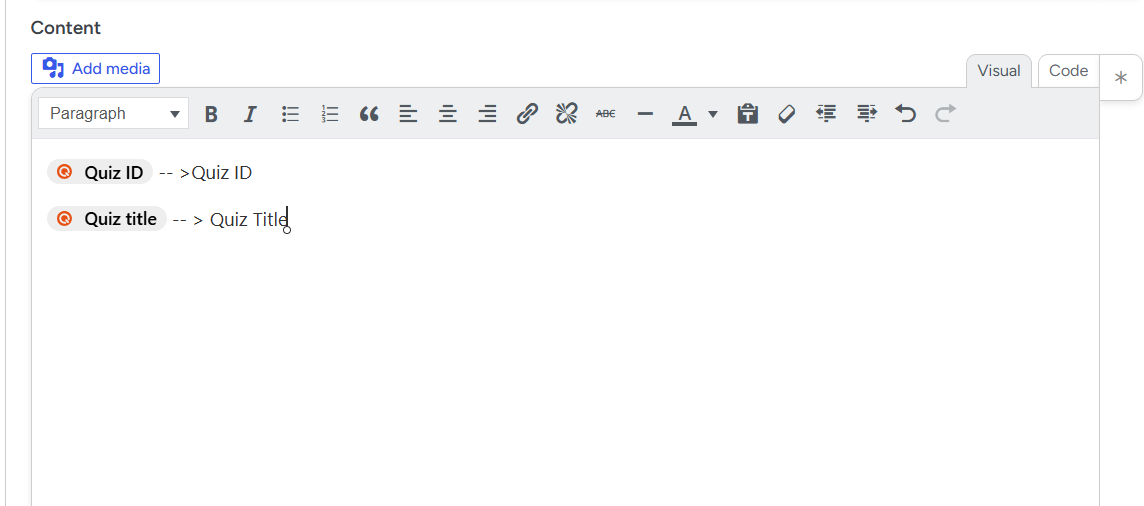
- Quiz title
- Quiz ID
- User name and email
- Quiz score
- Score percentage
- Completion date and time
Business version: 1.0.0
Developer version: 1.0.0
FoxLMS plugin is launched!
Start building courses on WordPress today!


