


5 Mistakes That Are Ruining Your Lead Generation Quizzes (And How to Fix Them)
Quizzes are one of the easiest lead magnets to build and one of the easiest to get wrong. You spend a weekend writing questions, hook it up to your email list, and wait for signups. Then the registration or revenue numbers come in flat.
Here are 5 mistakes that quietly kill quiz conversions, and what to do instead.
1. Making the quiz too long
10 questions feels thorough to you. It feels like a chore to a visitor who clicked a link between two other tabs.
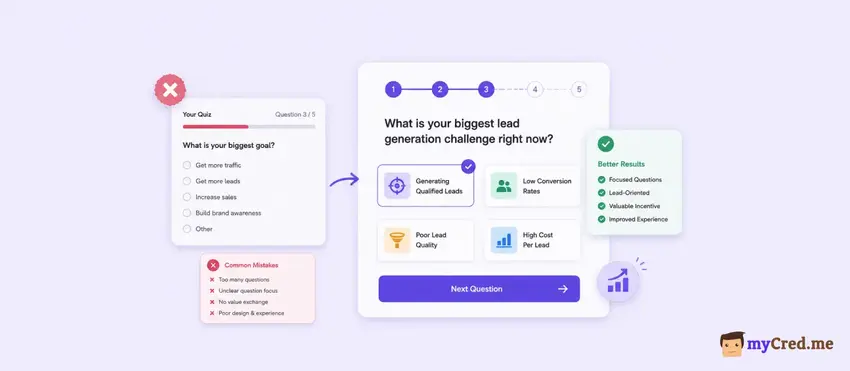
Every extra question is a chance for someone to close the tab. A 12-question personality quiz can lose half its starters by question 6, especially on mobile where scrolling adds friction on top of thinking time.
Fix: Cap most lead-gen quizzes at 5 to 7 questions. If you need more depth, split it into a short quiz with a "want more detail" upsell, not one long form.
2. Showing the same boring result to everyone
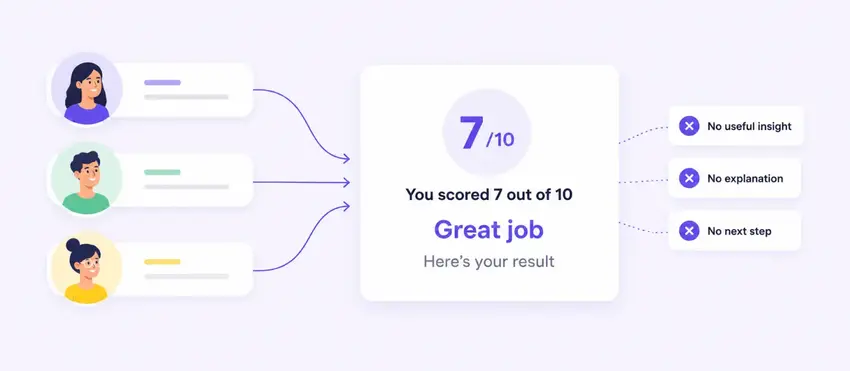
"Thanks for taking our quiz! Here's your score: 7/10."
That's not a result, it's a scoreboard. Nobody shares a scoreboard.
People take quizzes to learn something about themselves, not to get graded. A generic pass/fail or numeric score gives them nothing to talk about and no reason to trust your recommendation.
Fix: Build 3 to 5 distinct result profiles with names, short descriptions, and a next step tied to each one.
Quiz Maker by AYS lets you set different result messages, images, and even different WooCommerce product recommendations based on the score range, so a "Budget Planner" and a "Big Spender" get genuinely different pages, not just different numbers.
3. Asking for the email at the wrong moment
There are 2 broken versions of this. One asks for an email before the first question, which kills starts because nobody wants to trade an email for a quiz they haven't seen yet. The other shows the full result for free and only asks for an email as an afterthought, which means most people never give it up.
Fix: Ask after the last question and before the result reveal. That's the moment curiosity is highest and the ask feels earned instead of forced.
AYS Pro's Quiz Maker's custom form fields let you place that request right at that point, and you can add fields beyond name and email if you want to segment leads further (job title, company size, whatever matters for your funnel).
4. Ignoring how the quiz looks and feels on mobile
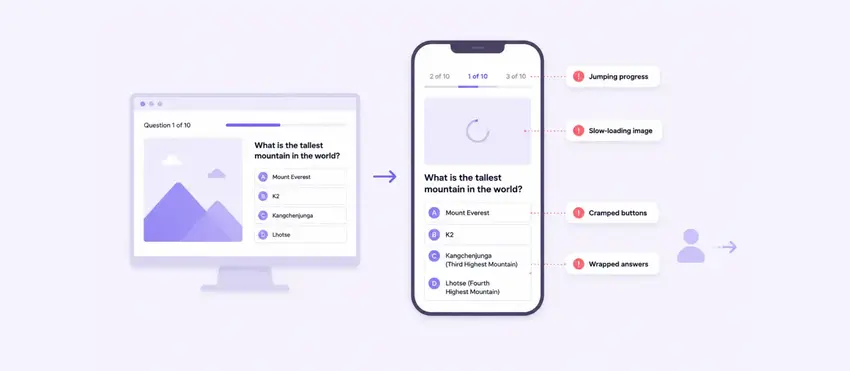
Most quiz traffic comes from mobile, especially if you're promoting it on social. A quiz built and tested only on desktop often has cramped answer buttons, cut-off images, or a progress bar that jumps in a way that feels broken.
Fix: Test the actual quiz on a phone before you launch it, not just the preview. Check tap targets, image sizing, and whether the navigation bar makes it obvious how many questions are left.
5. Asking for the email without giving enough value
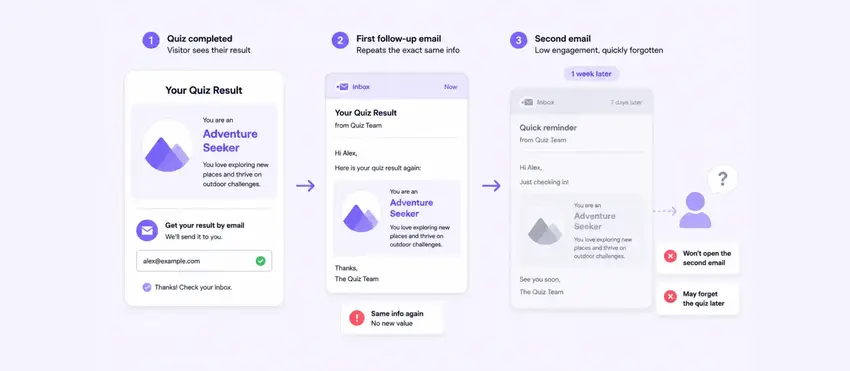
This is the quiet killer. A quiz result by itself, even a good one, is a one-time payoff. The visitor reads it, maybe screenshots it, and moves on. There's nothing pulling them back to your site or your list next week.
Fix: Pair the email ask with something that has ongoing value, not just a one-time label. A loyalty rewards plugin like myCred can award a point balance for completing the quiz and handing over an email, worth something like 10% off their first order.
The visitor walks away with a discount they can actually use, and you walk away with a lead who has a reason to come back and spend it.
myCred can also work off other completions on your site, so if you already reward quiz completions, course finishes, or reviews, the quiz slots into a system your visitors are already earning from instead of being a one-off form.
Ending Note
Every one of these mistakes comes from building the quiz for the business first and the visitor second. Keep it short because their time matters. Give a real result because their curiosity is the reason they clicked. Ask for the email at the moment it's earned, and give something back for it.
Fix those 5 things and the same quiz traffic starts converting into a list that actually opens your emails.


