6 Best Quiz Plugins for WordPress
As website owners and marketers continuously seek innovative ways to boost user engagement, quizzes have emerged as a powerful tool. Not only do they provide entertainment and foster interaction, but they also offer numerous benefits that can enhance overall website performance. If you don't know which plugin to choose in this oversaturated market, we cover the 6 best plugins available, and you choose the best one based on your needs.
For someone who is building the quiz behind the scenes, the benefits go way beyond entertainment and engagement on their website. If quizzes are used to their full potential, the site's performance can be improved in many ways.
- Time-on-Site: Instead of scrolling for 30 seconds and bouncing, users actively spend minutes clicking through your questions, signaled positively to search engine algorithms.
- Lead Generation: Quizzes frequently see lead capture conversion rates of 30% to 40% when you gate the final results behind an email opt-in form, massively outperforming standard newsletter boxes.
- Lead generation outcome: when users answer specific questions, they put themselves in categories that the creator of the quiz can easily segment for marketing purposes to understand what is the demographic of people using their services or products.
In this guide, we compare the 6 best quiz plugins for WordPress, explain what each one does best, and show why Quiz Maker stands out as the most complete solution for quizzes, online exams, certifications, and audience engagement.
Quiz Plugins
- Quiz Maker
- QSM
- Formidable Forms
- WP Quiz
- Thrive
- ARI Stream Quiz
Pricing and Ratings Table
Pricing plays a major role, especially if you're just starting or planning to scale your website. Some plugins offer free versions with limited functionality, and others rely on subscription-based models or lifetime deals.
To make things easier, before breaking down the features and individual plugins, here's a table below that shows the pricing structure, starting costs, best use cases, and overall ratings for each plugin so you can quickly compare your options side by side.
| Plugin | Pricing Model | Starting Price | Best For | Rating |
|---|---|---|---|---|
| Quiz Maker by AYS | One-time + Pro tiers | ~$49+ (lifetime options available) | Exams, certifications, monetization | ⭐⭐⭐⭐⭐ |
| Quiz & Survey Master | Freemium + paid add-ons | Free / ~$99+ yearly (add-ons extra) | Surveys, research & flexible quizzes | ⭐⭐⭐⭐☆ |
| Formidable Forms | Subscription | ~$39–$199+ per year | Data-driven quizzes & advanced forms | ⭐⭐⭐⭐⭐ |
| WP Quiz | Freemium + Pro | Free / ~$67+ per year | Viral quizzes & content marketing | ⭐⭐⭐⭐☆ |
| Thrive Quiz Builder | Subscription (Thrive Suite) | ~$19–$299+ per month | Marketing & lead generation quizzes | ⭐⭐⭐⭐⭐ |
| ARI Stream Quiz | Freemium + Pro | Free / ~$17–$35+ per year | Lightweight quizzes & engagement tools | ⭐⭐⭐⭐☆ |
1. Quiz Maker by AYS
If you are looking for a powerhouse plugin that can handle absolutely any type of quiz you throw at it, Quiz Maker by AYS should be at the top of your list. Far from just a simple trivia tool, this plugin is built for everything from viral personality tests to strict, timed academic exams and complex corporate assessments.
It is known to have an excellent balance between being incredibly feature-rich and remaining user-friendly, allowing you to build unlimited quizzes with deeply customized settings right from your WordPress dashboard.

Key Features
- One-Time Payment Advantage
- Perfectly usable for a full exam experience (such as TOEFL mock exams)
- AI Question Generation
- Flexible Navigation
- Custom Certificates
- Conditional Results & Logic
- Multiple export options for the quizzes
- Personality Tests
- Over 10 Question Types and a Question Bank
- Payment & Monetization
One-Time Payment Advantage
The Quiz Maker lifetime license option is one of the biggest advantages that it has over any other quiz plugin, which means instead of paying monthly or annual subscription fees, you can purchase a one-time payment and keep access to many features based on your plan on a long-term basis.
Custom Certificates
The Quiz Maker's certificate allows you to create professional-looking and attractive certificates that are in alignment with your organization and quiz theme. You can edit the certificate, pick from various certificate borders or templates, customize it to its fullest with message variables, and add even more value to your course or test
Payment & Monetization
Payments for quizzes in Quiz Maker can help you sell access to your quizzes or require payment before users can view their results through integrations with PayPal, Stripe, and RazorPay. Paid quizzes either use the "Pay to Access" option to make a payment before they start the quiz or "Pay for Results", with which you charge them to view their final scores or detailed feedback.
Exam Environment
As mentioned before, Quiz Maker can be used as an exam builder to create a full, strict testing environment, which is highly praised by many educators and course creators who use the plugin for academic testing, certification programs, or employee assessments. For example, Quiz Maker creates a full TOEFL practice test to help learners prepare for the official exam.
There are many features like timer controls, one-time attempts, pass or fail settings, and anti-cheating tools that have helped and continue to help create secure online exams.
You can simulate real test conditions with timed sections and utilize the many question types, as well as give instant feedback on performance.
Exports & Personality Tests
Quiz Maker's export options can manage data by exporting results in CSV, XLSX, or JSON formats. You can also generate PDF versions of quizzes or transfer them between websites using the convenient Export/Import add-on.
In terms of Personality Tests, beyond very serious and somewhat complicated exam quizzes, you can use Quiz Maker to build engaging tests like the Enneagram or the 16 Personalities test to reveal unique traits. These use advanced logic to provide personalized outcomes, which participants can then share on social media platforms
Demo Quiz
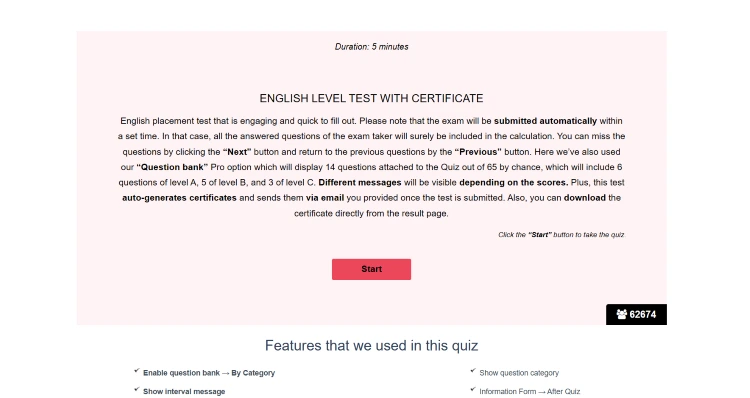
This is an English exam quiz with a certificate, where you can see how some of the features, such as the timer and certificate question types, work.
2. Quiz & Survey Master
One thing that makes Quiz and Survey Master stand out the most is its extreme customization, and it is arguably one of the most adaptable quiz plugins on the list, mostly because of its modular system. It functions both as a quiz builder and a somewhat over-market research survey tool. You can start with a blank canvas and take over control with certain add-ons that you purchase separately.
But that also means most of the features need to be accessed by paid add-ons, which can complicate things. However, it is a choice for those who need a single tool but also want to use it for one purpose only, and do not need to switch to different uses that quizzes in general can provide.
Key Features
- Variety of Question Formats
- Flexible Scoring Options
- Multi-Page Setup & Progress Bars
- Dynamic Results Pages
- Big Add-on Ecosystem
Versityle Question Types
QSM offers more than 18 question types, and obviously, the basic version can easily handle the most common main standard formats like short answers, drop-downs, and checkboxes. If you upgrade to the advanced package that they offer with a question add-on, you can unlock more structural formats like matching pairs or upload fields. But again, keep in mind that this is a separate add-on for which you have to pay.
Customization and Modular System
As we said before, QSM uses an add-on-based structure, so you can install the features that you need. It's great if you want the quiz plugin for one specific reason. Almost every element, from button labels to result messages, can be edited to suit your own branding and tone. All good quiz plugins offer customization, but this one is particularly helpful if you want every single detail to match the voice of your brand.
Demo Quiz
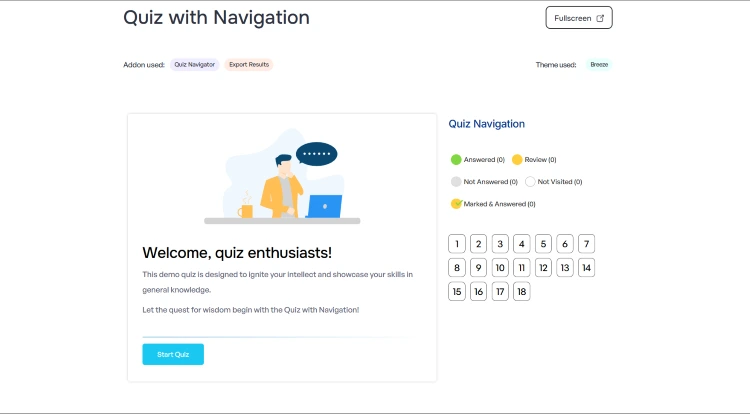
Here is an example quiz called "Quiz with Navigation" which showcases QSM's export and quiz navigation addons.
3. Formidable Forms
Formidable Forms is known for its drag-and-drop form builder, which can make it a great choice for those who need their quizzes to be sorted out much quicker and faster than needed. It is mostly used by businesses that want to avoid the mess that comes from lots of add-ons and generally want to use one system that collects scores and displays user data accessibly.
Key Features
- Drag-and-drop form and quiz builder
- Pre-built templates for quizzes, surveys, and forms
- Quiz scoring and grading
- Conditional logic and smart form fields
- Multi-page quizzes with progress bars
- Advanced reporting, graphs, and analytics
Advanced Reporting & Analytics
Formidable Forms goes beyond simple quiz creation by helping you understand the data you collect. You can visualize quiz results with graphs, charts, and reports, making it easier to spot trends and measure user performance. This is especially useful for educators, marketers, and businesses that rely on quizzes for lead generation or audience research.
Conditional Logic and Smart Forms
The plugin includes powerful conditional logic that allows questions and form fields to change based on user responses. This creates a more personalized experience by showing only relevant questions, reducing form fatigue, and improving completion rates. It's particularly valuable for assessments, surveys, and recommendation-style quizzes.
Front-End Data Display
One of Formidable Forms' standout features is its ability to display submitted data on the front end of your website. You can turn quiz responses into searchable directories, listings, dashboards, or other data-driven applications without needing additional plugins. This makes it much more than a standard quiz builder.
Demo Quiz
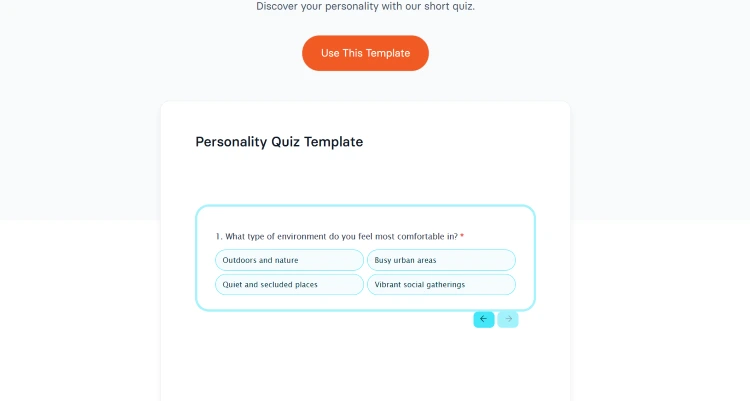
Below you can see Formidable Forms' Personality Quiz Demo quiz/Template that lets you have a glimpse into some of the features and customization that the plugin can offer.
4. WP quiz
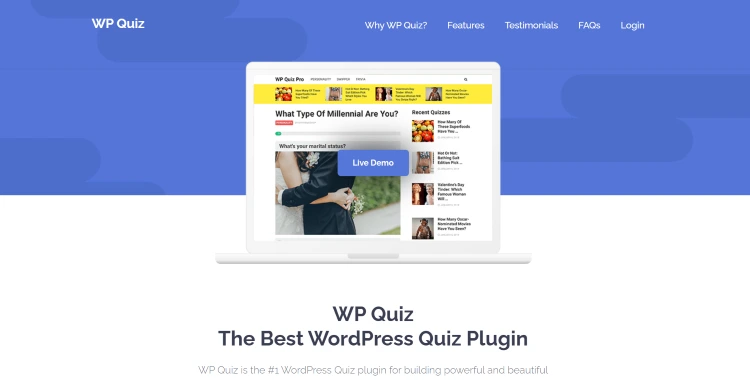
WP Quiz is a WordPress quiz plugin that is specifically designed for engaging user interaction as well as social sharing. It is mostly used by content marketers, bloggers, and publishers of sorts because it supports trivia quizzes and personality quizzes that can be very attractive for viral Style questionnaires to prompt visitors to share their results. This makes the plugin relatively easy to use with only one goal to fulfill.
Key Features
- Trivia quizzes with scoring
- Personality quizzes with customized outcomes
- Social sharing integration
- Responsive mobile-friendly design
- Image-based questions and answers
- Email capture and lead generation
Personality quizzes
Since the WP Quiz plugin is very engagement-driven, it's not surprising that its most popular feature is the personality quiz builder. This format is good; it works specifically for product recommendations, per se, and viral content because users are just naturally curious to learn about themselves.
Social Sharing Integration
Following the engagement goal, WP Quiz is built with viral growth as its main purpose. This allows users to easily share their results on social media platforms for additional traffic on the website. This is especially useful for content marketers because it can significantly increase the overall performance and engagement.
Lead generation and Email capture
With the amount of engagement that the quiz can create, lead generation and email capture come as a huge benefit. The plugin allows you to collect email addresses before displaying the quiz results. Businesses can use these as an interactive way to grow their subscriber base and provide value to those who contribute to them by personalizing their experience.
Demo Quiz
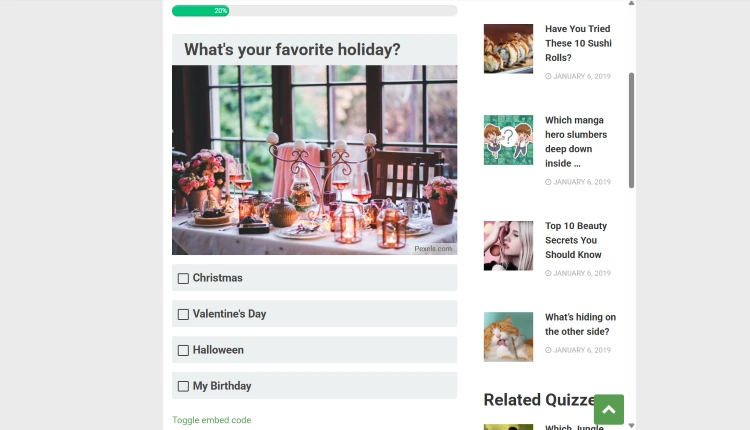
The quiz below shows one of the BuzzFeed-style personality quizzes with the features that it provides, which are simple question types, but also the very quick and viral-driven module that it uses to create its personality quizzes.
5. Thrive Quiz Builder
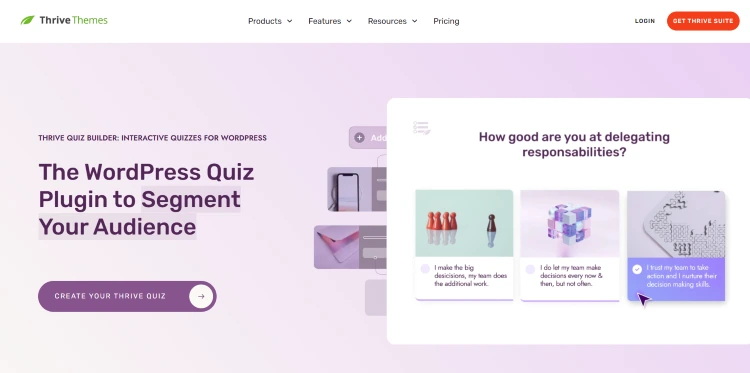
Similar to WP Quiz, Thrive Quiz Builder is for marketing-driven quizzes and not necessarily for educational or exam-focused use. It is exactly the reason why it's mostly used by marketers and focuses on capturing leads and growing email lists.
Key features
- Drag-and-drop quiz builder
- Branching/conditional logic quizzes
- Personality, scoring, and survey quiz types
- Lead generation with email opt-in gates
- Social sharing and viral quiz features
- Integrates with email marketing tools
Quiz Creation System
Thrive Themes and its quiz builder allow users to build all kinds of quizzes, such as right or wrong knowledge quizzes or personality tests. It also has a drag-and-drop visual builder to make it easier to structure those questions and customize them later.
Smart Branching Logic
Smart branching logic is a very important feature for personalization. It changes dynamically based on users' answers, which allows different users to see different questions or result Pages depending on how they progress through the test.
Lead Generation
Similar to some of the other quizzes mentioned before, the lead generation and marketing integration system is also something that Thrive Quiz Builder is known for. It allows you to insert opt-in forms before showing results. The first-party data can then be segmented to understand your audience and then target them with their specific needs and preferences.
6. ARI Stream Quiz
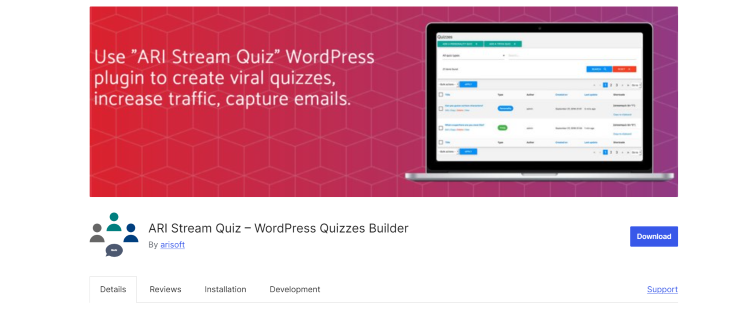
Last but not least, ARI Stream Quiz can be used to create tests and surveys, and it's also very interactive-driven. Can be used for both simple and advanced quizzes, depending on the features that you want to use for your quiz, such as scoring or branching logic, as well as result-based outcomes.
Key Features
- Integration with email marketing services
- Timer-based quizzes (limit time per question or full quiz)
- Detailed quiz analytics and results tracking
- Social sharing of quiz results
- Randomized questions and answers
Analytics and performance tracking
It is a key feature that is built into the plugin itself to provide inside how users interact with quizzes. This means you can see the completion rates, drop-off points, and how many users answer each question. This is valuable information because it can be used to further improve the Improvement on your website and generally whatever the website is for.
Conditional logic
It is also one of the most well-known features that allows quizzes to adapt to the users' responses. Many use it for product recommendation quizzes, so think like businesses that can gain valuable insights from the conditional logic quizzes and later analyze them with the performance tracking to improve their business.
Demo Quiz
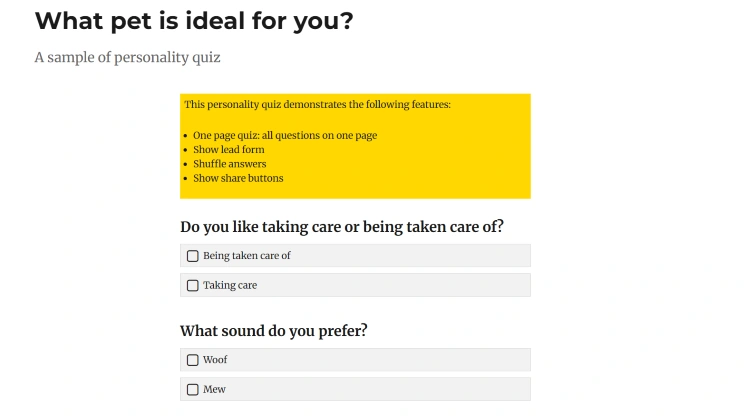
Here's a demo quiz below by ARI Stream Quiz to show its simplicity through a sample of a personality quiz with some of the features, such as a one-page quiz, shuffle answers, and more.
Conclusion
We can easily conclude that integrating an interactive quiz is not about some digital trend, but it's more about future-proofing your WordPress site against declining attention. Also, direct zero-party data you collect from self-reported quiz responses becomes your most valuable marketing asset. Which means instead of guessing what your audience wants, you can have a tool that would break it down for you.
So choose the plugin that matches your technical comfort level and goals!