


3 Best WordPress Block Plugins for Better Websites
The WordPress block editor works fine for a blog post or a simple page. But once you try to build a homepage, a landing page, or a full service page, it starts to feel limited. There aren't many templates, the design controls are basic, and it wasn't really built for whole-site work.
That's where block plugins come in. They add more blocks, better design options, and templates, without making you leave Gutenberg.
In this article, we will look at three WordPress block plugins that can help you build better pages with the native WordPress editor.
Quick Comparison
| Plugin | Best for | Free version | Paid version |
|---|---|---|---|
| Gutenverse | Building complete websites in Gutenberg with blocks, templates, forms, popups, and Site Editor support | Yes | Available in Gutenverse PRO |
| Spectra Blocks | Using AI to help create page layouts and sections inside Gutenberg | Yes | Extra AI features are available |
| Kadence Blocks | More control over layout, spacing, and responsive design | Yes | Paid plans are available |
What to Look for in a WordPress Block Plugin
You don't need the plugin with the longest feature list. What matters is whether it actually helps you build.
Some things worth checking first:
- Does it work directly in the block editor?
- Are the blocks it adds actually ones you'll use?
- Does it come with templates, or do you still start from scratch?
- Can you set different designs for desktop, tablet, and mobile?
- Does it slow your site down with extra scripts you don't need?
- Is the free version good enough on its own?
With those points in mind, here are three WordPress block plugins worth considering.
1. Gutenverse
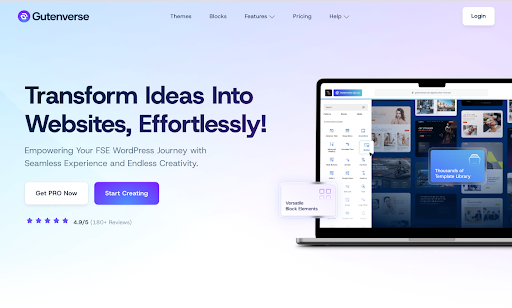
Gutenverse is a block plugin and website builder made for Gutenberg and the WordPress Site Editor. Instead of just adding a few extra blocks, it gives you tools for building whole websites, landing pages, portfolios, headers, footers, popups, and templates, without switching to a separate page builder.
The free version already includes extra blocks, responsive controls, Global Styles, and the Gutenverse Template Library. The library lets you open a page or section from inside the editor, import it, then change the text, images, colors, and spacing to match your site.
This is useful if you're building your own site or one for a client, want to work faster than building each section by hand, or want more design options than the default WordPress blocks give you, while still staying in Gutenberg. It also works with block themes, so you can use it for headers, footers, archive templates, and single post templates, not just regular pages.
Gutenverse PRO adds more advanced blocks, premium templates, animations, forms, popups, a mega menu, custom fonts, conditional display, and priority support. You probably won't need most of this right away. The free version is enough for a basic site, and PRO makes more sense later, once you actually need something like a more advanced form or a popup.
2. Spectra Blocks
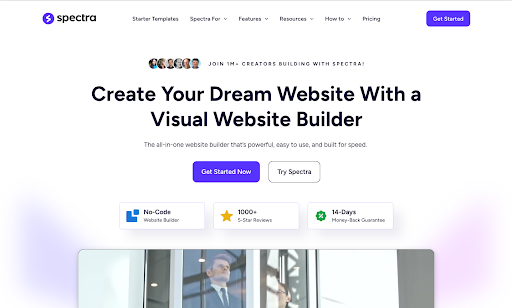
Spectra Blocks also works inside Gutenberg, but its main draw is the AI tools through Zip AI. You describe the page you want, the AI puts together a starting layout, and you edit it from there in the normal block editor. You can do the same thing for smaller sections too, like hero sections, pricing tables, FAQs, or testimonials.
This helps if you already know what you want on the page but don't want to start from a blank editor.
Outside of the AI features, Spectra Blocks still works as a regular block plugin. You get extra blocks, flexible container layouts, spacing and border controls, responsive settings, and a pattern library for common sections. So even if you never touch the AI tools, it's still useful on its own.
One thing worth knowing: Spectra Blocks is separate from the older Spectra Legacy plugin. If you're already using Legacy, you don't have to switch right away, but for a new site, Spectra Blocks is the one to look at.
It's most useful if getting started is usually the hardest part for you. Having something to edit is easier than starting from nothing.
3. Kadence Blocks
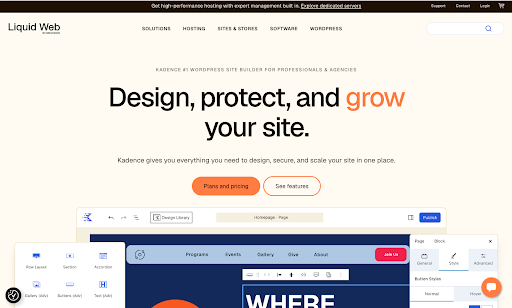
Kadence Blocks focuses more on layout control. It adds extra blocks and styling options to Gutenberg, giving you more control over spacing, typography, columns, and responsive settings than the default blocks allow.
You can also adjust how a layout looks on desktop, tablet, and mobile separately, which helps when you want to fine-tune a design for different screen sizes.
It's also built with performance in mind. It only loads the CSS and JavaScript for the blocks actually used on a page, instead of loading everything everywhere.
With Kadence Blocks you can build more flexible layouts, adjust spacing and typography in detail, control how sections look across devices, and use ready-made patterns for common page types like landing pages and service pages. If you're already using other Kadence products, this fits into that same setup.
So, Which One Should You Pick?
The best plugin for you depends on what you actually need help with when building your site.
Gutenverse is a good option when you want one plugin that can handle more parts of your website. It gives you blocks, templates, responsive controls, Site Editor support, and extra features through Gutenverse PRO.
Spectra Blocks is more useful when AI-assisted page creation matters to you. It can create a starting layout that you can continue editing inside Gutenberg.
Kadence Blocks focuses more on detailed layout control, spacing, typography, and responsive settings.
All three plugins work directly inside the WordPress block editor. You can keep building your pages in Gutenberg while getting more blocks, layout controls, templates, or other extra features.
FAQ
- Which plugin is better for building a full website inside Gutenberg?
Gutenverse is a good choice for this because it gives you more than just extra blocks. You can also use templates, responsive controls, forms, popups, and Site Editor features to build different parts of your website. - Which plugin is better if I want AI to help me build pages?
Spectra Blocks is the better option for AI-assisted page building. It can help create a starting layout or section for you, then you can edit the result inside Gutenberg. - Which plugin gives me more control over layouts and responsive design?
Kadence Blocks focuses more on layout and design control. You can adjust things like spacing, typography, page structure, and how your design looks on desktop, tablet, and mobile. - Can I use these plugins without knowing how to code?
Yes. Gutenverse, Spectra Blocks, and Kadence Blocks all work visually inside the WordPress block editor. You can build and customize your pages without writing code. - Which plugin should I choose if I want to keep using Gutenberg?
All three work directly inside Gutenberg. Gutenverse gives you more tools for building a complete website, Spectra Blocks adds AI-assisted creation, and Kadence Blocks gives you more control over layouts and responsive design.
Final Thoughts
Gutenverse, Spectra Blocks, and Kadence Blocks all give you more options than the default WordPress block editor, but they focus on different needs.
Gutenverse is more focused on building different parts of a website inside Gutenberg. Spectra Blocks stands out more for AI-assisted page creation, while Kadence Blocks gives you more control over layouts, spacing, and responsive design.
The best choice depends on how you like to build and which features matter most to you. Some users may prefer a broader set of website-building tools, while others may care more about AI or detailed design controls.
The good thing is that all three work directly inside the WordPress block editor, so you can try them without changing your whole editing workflow.


