


How to Create a Multi-Page Survey in WordPress
Do you want to create multi-step surveys in WordPress that are user-friendly and drive conversions?
Multi-step forms are among the most efficient ways to boost engagement and improve user experience on your website. It’s one of the best methods for gathering ideas to improve your product. Besides, it’s crucial to add one to your website to be in touch with potential and current customers and website visitors.
To begin with, you need a Survey Maker by AYS to build multi-step forms. Before we dive into that, let’s learn the good reasons for adding multiple-paged forms to your website.
Why Use a Multi-Page Survey on Your Site
No one wants boring forms and customers who don’t want to fill them out. But the number one reason why customers leave the websites is a too long survey. It’s intimidating and overwhelming. It reduces traffic and interest.
We’ve all been there. Skipping such forms seemed the most reasonable thing for us to do. That’s where multi-step forms help
It splits long questionnaires into shorter pieces, making the task more manageable and enjoyable for the respondents.

Multi-page forms help you:
Provide Delightful Experience: To make your customers feel more satisfied, do your very best so that they feel at ease. Giving your customers a lengthy and tiring form to fill out is definitely not the best approach.
Increase Traffic: Breaking down a form into sections makes users complete it instead of leaving it halfway. This simple technique can significantly improve completion rates. A reported case by Instapage specialists shows that multi-page forms increased lead generation by an incredible percentage of 214%!
Group Questions: Categorizing questions according to topics is a professional technique. It classifies the information you need from your page visitors and makes the process easier.
Receive Information and Ideas: A survey, in general, is the easiest way to connect with your users. Imagine how a well-designed survey will motivate them to share their experience, from which you will benefit greatly.
Identify Well-Qualified Leads: A multi-page form helps you single out visitors who are committed to your product. Only those who show real interest in your services will go through all the pages in your form. They will take their time to make useful suggestions to you. Such customers are what we call highly qualified leads. And you guessed right! High-quality leads mean more sales, more engagement, and, finally, more value.
How to Create a Multi-Step Form with the WordPress Survey Maker plugin
Survey Maker is an all-in-one WordPress plugin designed for building surveys that engage, drive traffic, and build trust. Although it’s powerful, it’s also easy to use for people with no tech skills. Creating multi-step forms with Survey Maker by AYS is effortless. But what else can you do with Survey Maker by AYS? Let’s see!
- Add image to your questions
- Make questions required
- Add questions with several question types (Radio, Checkbox, Dropdown, Star Rating, Paragraph, Text, etc.)
- Specify a maximum count of takers
- Schedule your survey
- Redirect after submission
- Limit users
- Send email to users
- Send email to admin
- Integrate your surveys
And a lot more!
Before getting started you can find additional and more advanced information in User Manual.
So, let’s go on with how to create a multi-page form with Survey Maker.
Creating multi-page forms with Survey Maker by AYS is free. Firstly, install it from your WordPress dashboard. Then, go to Survey Maker → Surveys. Click the Add New button for your first form with Survey Maker by AYS! The General tab will open. It would be preferable if you gave your form a title and also described it. Next, add as many questions as you need and fill out the questions with their possible answers. Finally, you can include the Other box where people can provide their personal views as well.
Now since you have configured the first page of your form, you are ready to configure the remaining pages. Here, you simply need to press the Add Section button that represents creating more pages. Consider adding titles and, if necessary, descriptions to your sections for a more organized structure. You can also add multiple pages first, then go and add answer options to your questions.

Here is a form example created with the Survey Maker by AYS plugin. All the other pages are similar in structure to the one displayed, but deciding the questions and content is up to you. Follow the link to Survey Maker demos to observe multi-page form examples.
Multi-Page Surveys vs Single-Page Surveys
The choice you make whether to go with a one-page survey or multi-page survey can influence your ability to succeed. While certain surveys perform optimally as one-page surveys, there are those that turn out to be quite challenging due to being lengthy, thus showing numerous questions at one time.
On the other hand, multi-page surveys present better user experience by grouping questions in different sections. Also, the use of elements like progress bars, section titles, and pages makes the survey look more professional. In addition, multi-page surveys make mobile users comfortable browsing through different pages.
One of the most important benefits of multi-page surveys is that respondents tend to provide thoughtful and honest answers when questions are placed on fewer pages.
| Feature | Multi-Page Surveys | Single-Page Surveys |
|---|---|---|
| User Experience | Provides an easy-to-use process with clear steps. | Could be stressful when all questions show up at once. |
| Completion Rates | Higher completion rates due to reduced user fatigue. | Users are more likely to abandon long forms midway. |
| Mobile Friendliness | Optimized for mobile devices with smaller and easier-to-read sections. | Long scrolling forms may reduce mobile usability. |
| Question Organization | Allows grouping questions into logical sections for better clarity. | All questions are displayed at once, which could confuse users. |
| User Engagement | Ensures that users remain engaged through tracking progress step by step. | Lower engagement on lengthy surveys. |
| Response Quality | Encourages more accurate and thoughtful responses. | Users may rush through questions to finish faster. |
| Lead Generation | Excellent for collecting qualified leads through interactive flows. | Less effective for complex lead qualification processes. |
| Overall Performance | Best choice for long surveys, higher conversions, and better user experience. | Suitable mainly for very short forms with minimal questions. |
Tips for Creating the Most Effective Multi-Page Forms
Is there anything better than to build your form according to proven research?
If you want to make the best of your form, you need to consider some important things. Next, I am going to present some tips that are central to conversion-driven forms.
1. Choose a Common, User-Friendly FormatMake your form appear easy to fill out, familiar, and visually appealing.
- Use labels above the input fields to increase clarity.
- Choose concise and clear labels for fields.
- Make sure to use appropriate field sizes for answers.
- Keep sufficient space between each field.
You can have an effective form by keeping only a few fields.
- Ask only for relevant details.
- Try to eliminate optional fields where possible.
- Shorter forms have better completion rates.
- Do not bombard users with an excessive number of questions.
It is natural for people to feel hesitant about sharing information such as their address or phone number, and that is perfectly fine.
- Ensure that the user’s privacy is respected.
- Seek personal information only when required.
- Make the form anonymous wherever possible.
- Inform the user about the purpose behind the question.
Help users identify mistakes so they understand why the form cannot be submitted.
- Clearly mark required fields.
- Show simple and understandable error messages.
- Guide users on how to correct their inputs.
- Use friendly, conversational survey language.
Data shows that more than 50% of users access websites via mobile devices. Since Survey Maker by AYS is fully responsive, it helps simplify form creation more than ever.
- Ensure the form adjusts to different screen sizes.
- Remove unnecessary fields on mobile versions.
- Use large buttons and readable fonts.
- Keep the design clean and mobile-friendly.
The Most Common Types of Surveys
A survey is the most preferable way of understanding how customers feel about your product. Different types of surveys, be it a customer satisfaction survey, job satisfaction survey, or customer feedback survey, can change everything connected with the success or failure of your business.
Let’s dive deep into the 4 most widely used types of surveys that give us insights into customer concerns and help generate leads. Life and work get far easier than we might think with the right type of survey.
1. Customer Satisfaction Survey
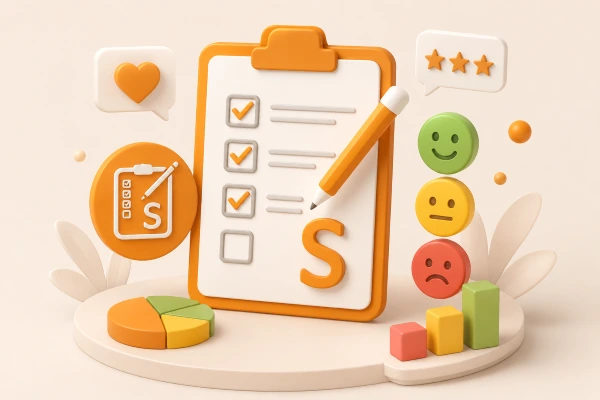
A customer satisfaction form lays the foundation of your business growth and expansion.
These forms are the most commonly used ones. You can encounter them everywhere and anytime. For example, after doing your purchase in the local supermarket, you are asked to rate for the service with a smiley. Or, after doing shopping online, a small survey is sent to you to measure your satisfaction with the product quality.
In the business world, these forms help correctly estimate your customers’ satisfaction with your service, product, or event. Customer satisfaction surveys can significantly increase the conversion rate on your site with the right choice of questions.
Questions you can ask while conducting this type of forms include:
- What would you improve in the service or product?
- Is the customer service responding well to your queries today?
- Is the product helping you achieve your objectives?
Please keep in mind that while it is important to attract new clients, it is much more valuable to retain existing ones.
2. Market Research Survey

A market research survey is an excellent option for understanding your position on the market. It is also helpful for following at what stage of competition your brand is. If you have launched a new product and can only guess about people’s first reactions, a market research survey will turn your assumptions into beliefs and help you move on the right track.
Some practical questions you can ask your customers are:
- What was your first reaction to our product?
- How useful is our product?
- How would you assess the quality of the product?
- How original is the service/brand?
Market research surveys are of much importance for game-changing improvements to your brand and substantial business growth.
3. Employee Satisfaction Survey

Employee satisfaction surveys are used to measure employees’ satisfaction with their work environment. This type of survey gives ideas for strengthening bonds among employees and elevating team spirit. Another effective tactic is the calculation of eNPS (Employee Net Promoter Score) and getting feedback on how to boost employee morale․.
However, you must provide anonymity in the survey to allow employees to speak freely. Another thing is that to measure how employee satisfaction improves over time, you should conduct surveys periodically, say once or twice per year.
Some questions you can ask your employees are:
- How do you feel yourself within your team?
- Do you feel valued as a professional and just as a member of the team?
- How often do you feel tense at work?
Employee satisfaction surveys are important for the sustainable growth of business based on good teamwork and mutual respect. Along with good time tracking and task management software, you can improve employee productivity and leverage it for your business growth.
4. Job Satisfaction Survey

To estimate how satisfied your employees are with their work, conduct job satisfaction surveys. Measuring job satisfaction directly affects work efficiency and employee morale. Employees who are content and engaged drive far better results for their company than those who are not. Job satisfaction surveys help you understand which employees need additional training related to their job or communication skills.
Questions to include in a job satisfaction survey are:
- Are you proud to work for this company?
- Are you motivated to do good for your company?
- How motivated are you to go to work every day?
There is no successful business without vigorous and professional employees.
With a wide range of survey types available nowadays, it’s vital to conduct the right one for your business at the most appropriate time. In the long run, a form will be a valuable helping hand, and your hard work will definitely pay off!
Start Today
There is no better time than today to start building multi-page forms to improve your business on all fronts. Surveys are irreplaceable for understanding customers, employees, and coming up with the greatest ideas to improve your work environment.
I hope the article will be a handy guide while you are building the surveys and work culture of your dreams.
As
for creating forms, you already know which plugin corresponds to your needs. Follow the link to Survey Maker demos and the landing
page of the WordPress Survey Maker by AYS plugin for
further information.
If this article was helpful, feel free to subscribe to the YouTube channel to see other WordPress video tutorials. You are surely also welcomed to Facebook and Twitter pages.
Frequently Asked Questions
What WordPress plugin allows you to create a multi-page survey?

The WordPress Survey Maker plugin allows you to create a multi-page survey. All you need to do is install and activate the plugin and start creating your survey.
What is the difference between online surveys and online forms?
Online surveys are used to collect opinions and feedback from a wide audience, while online forms are typically used to gather more detailed and structured information. Surveys focus on quantity, whereas forms focus more on quality and depth of data.
What are the best survey question types?
Multiple-choice questions are the most commonly used survey question type, but various survey question types can be more relevant based on your survey.
How do multi-page surveys affect drop-off points for users?
Multi-page surveys reduce user fatigue by breaking questions into sections. This helps identify exactly where users drop off, allowing you to optimize those specific steps and improve overall completion rates.


